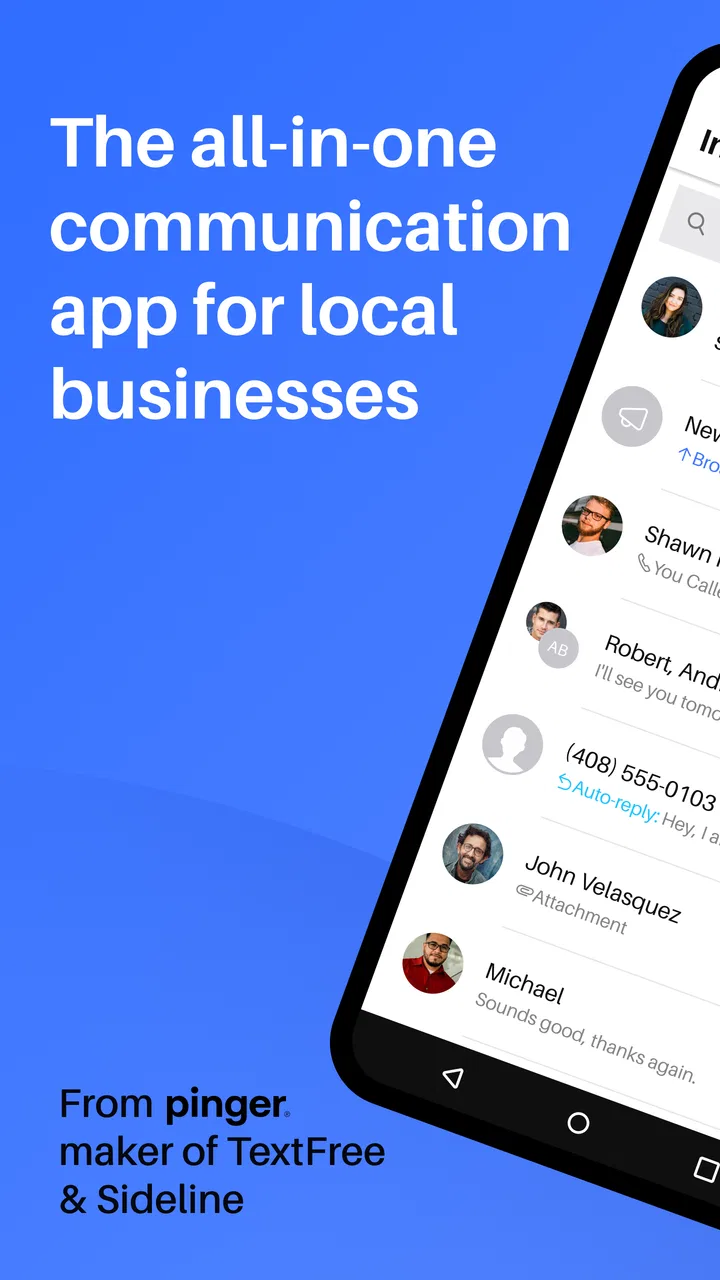
Index: Business Phone Number
- 3.8
- Rating
- 50.00K
- Installs
- Free
- Price

 Analysis by App-foxy
Index: Business Phone Number is the kind of business app I would consider when I want work conversations separated from my personal phone without building a complicated communications system. It comes from Pinger, Inc and is aimed at organizing work communication and customer interactions. In my experience, that focus makes it more practical for freelancers, small teams, and people handling customer messages than for someone who only needs a private second number.
The app is free to install, which makes it easy to try before changing the way you handle business calls and messages. It is listed for Everyone and supports Android 9 or later. The current release is version 13.25, and the app has passed the fifty-thousand-install mark. Those details suggest a fairly accessible product rather than a specialist enterprise platform, but I would still treat it as a tool for a defined workflow instead of assuming it can replace every business phone system.
How Index fits into everyday business communication
The main appeal is separation. If customers, clients, or leads regularly contact you, using your ordinary personal number can make your private life feel permanently connected to work. A dedicated business number gives those conversations a clearer boundary. I found that this matters even more when messages arrive outside working hours, because it becomes easier to decide which conversations belong to the business and which belong to me personally.
You May Also Like

 Blood Strike: 2.5 Anniversary
Blood Strike’s Loadouts Turn Every Drop Into a Tactical Gamble
A close look at Blood Strike’s custom loadouts: how fast access to signature weapons reshapes its battle royale rhythm, rewards preparation, and narrows the gap between fights.

 Pandora - Music & Podcasts
Pandora’s Music Is Easy to Start, but Harder to Recover
Pandora’s strength is its low-effort path from a seed to a station. Its weak spot is how much confidence it asks you to place in connection, setup, and quiet recovery.

 8 Ball Pool
8 Ball Pool Is Built on Rivalries, Rematches, and Routine
A close look at the rivalries, rematches, shared routines, and unanswered safety questions that turn a quick pool match into a persistent mobile community.

 Samsung Music
Samsung Music’s Quiet Strength Is Playing What You Already Own
Its reach comes less from spectacle than from dependable access to a personal library. That simplicity is both the app’s strongest retention engine and its ceiling.

 AccuWeather: Weather Radar
AccuWeather Review: A Quick, Clear Forecast for Everyday Decisions
For everyday plans, the best forecast is the one you can understand quickly. AccuWeather makes rain timing, radar, and local conditions easy to act on, with a few trade-offs.

 Hill Climb Racing
Why Hill Climb Racing Still Turns Crashes Into One More Run
A tiny car, a bumpy hill and one more upgrade: Hill Climb Racing keeps resurfacing because its simple chaos makes every near-miss feel personal.
More From Our News Desk



A realistic example is a self-employed repair professional who receives appointment requests throughout the day. Instead of publishing a personal number on invoices, social profiles, or local listings, that person can use a business-facing number and keep customer exchanges in one place. The value is not just having another number; it is creating a recognizable route for work conversations, so the phone used by family and friends does not become the default customer-service channel.
It can also suit a small online seller who needs to answer questions about delivery, returns, or product availability. In that situation, the app is most useful when the owner establishes a simple routine: check business messages at set times, label or otherwise organize conversations consistently, and avoid mixing personal replies into the same communication stream. The app can support that discipline, but it cannot create the discipline for you.
I would be more cautious about using it as the sole communication system for a larger organization. A growing team may need shared inboxes, role-based access, detailed audit trails, call routing, integrations, or formal retention controls. A business phone app can be convenient without being a complete customer relationship platform. If several employees must respond to the same customers, compare its workflow carefully with a dedicated help-desk or cloud-phone service before moving important conversations.
What I noticed about trust and control
Trust is especially important for an app that sits between a business and its customers. I would not judge Index only by whether it makes communication convenient. I would first review the permissions requested during setup, the account options presented on screen, and the privacy information available through the app or its store page. Those are the places where I can see what the app is asking me to allow and what choices I actually have.
My practical advice is to install it with attention rather than tapping through every prompt. If a permission appears, read its purpose and decide whether it matches the action you are trying to perform. A phone-number app may need access related to communication functions, but the correct choice is still to grant only what you understand and need. If a permission request appears at an unexpected moment, I would pause and check the explanation instead of accepting it automatically.
Account controls deserve the same care. Before publishing a business number, I would identify how the account is secured, how sign-in recovery works, and where I can change contact or notification settings. I would also make sure the recovery method belongs to the business owner rather than to a temporary employee or an old device. Losing control of the account can be more damaging than losing access to an ordinary social app, because customers may continue using the number while the owner is locked out.
The app has an average rating of 3.8 from around two hundred ratings, with more than eighty written reviews. I see that as a reason to test it against my own workflow rather than treating the rating as a final verdict. Ratings can reflect different phones, expectations, network conditions, and business habits. For me, the important question is whether the app gives clear choices at the moments that affect customer communication and account access.
Permissions, messages, and sensitive conversations
Business conversations often contain more information than they seem to at first. A customer may send an address, an order detail, a payment question, or a photograph showing a problem. Even when the conversation feels routine, it can become sensitive when combined with a name and contact number. I would therefore avoid treating the app as a casual messaging space and instead decide what information should never be requested through it.
For example, I would not ask a customer to send a full payment-card number or an account password in a chat. That is sensible regardless of the app used, but a separate business number can make people assume that every request coming from it is official. I would keep payment handling inside the proper payment service and use the conversation only to explain next steps or confirm non-sensitive details.
Notification previews are another small but important consideration. If the phone is visible on a desk or shared with family, a customer message may appear on the lock screen. I would inspect the notification settings and reduce the amount of message content shown if privacy matters. This is a useful trade-off: seeing the full preview makes replies faster, while hiding it reduces the chance of exposing customer information to someone nearby.
I would also be careful when moving between devices. Before signing out, replacing a phone, or changing the account used for work, I would check what conversation history and settings remain available after the change. I would not assume that every message behaves like a permanent business record. If a conversation is important for a contract, complaint, appointment, or delivery, I would preserve the relevant details through the company’s approved record-keeping process rather than relying on the app as the only archive.
That distinction is one of the most useful lessons here: convenient communication is not automatically reliable business record-keeping. Index can help me manage contact with customers, but I would still create a separate routine for invoices, agreements, support cases, and other information that must remain accessible over time.
Setting up a safer work routine
When I test a business phone app, I prefer a staged setup. I would first create the account, review every visible control, and send a few low-risk test messages to a trusted contact. That lets me understand how notifications, replies, and contact presentation work before I publish the number. It also gives me a chance to catch an unwanted behavior while the number is still private.
Next, I would use the number with one small group of customers rather than moving every business contact at once. I would note how quickly I can find an old conversation, how clearly new messages are separated from personal communication, and whether the notification pattern fits my working hours. This trial is more informative than simply opening the app once, because the real test is repeated use during a busy day.
A useful workflow is to write a short response policy for yourself. I might decide that new enquiries receive an acknowledgement during business hours, while urgent matters are directed to a different channel. I would avoid promising constant availability just because the app makes messages easy to receive. The separate number should create a boundary, not remove one.
I would also establish a handover plan if another person may eventually manage the account. That means documenting which customers use the number, where essential records are stored, and who is responsible for recovery. A number that only one person understands can become a bottleneck. Clear internal notes are especially important if the business grows or the owner takes time away.
Free access and the cost decisions behind it
The free price is a genuine advantage for someone who wants to validate the idea of a separate business number without committing immediately. It lowers the barrier for a freelancer or very small business, especially when the need is occasional customer contact rather than a full call-center operation.
At the same time, the app includes in-app purchase items ranging from $24.99 to $199.99 each. I would not assume that free access covers every workflow I might eventually want. Before relying on it for a public business line, I would inspect which functions are available without payment and which are connected to optional purchases. The sensible approach is to test the exact tasks I need first: receiving enquiries, replying, organizing conversations, and maintaining account access.
That pricing range also changes how I would evaluate long-term use. A low-cost trial can become a larger business expense if several people need access or if the business expands into heavier communication. I would compare the likely total cost with ordinary alternatives such as a second mobile line, a virtual phone provider, or a customer-support platform. The cheapest starting point is not always the cheapest stable solution.
For a solo professional, the free entry point may be enough to make the app worthwhile. For a company that needs predictable billing, centralized administration, and formal controls, I would want a clear cost plan before encouraging staff to depend on it. This is less about rejecting the app and more about matching its scale to the organization’s actual needs.
Where it is better than ordinary alternatives
Compared with using a personal mobile number, Index offers a cleaner mental and practical boundary for work. I would rather publish a business contact than expose the number used by relatives and close friends. This separation can also make a small business look more organized, even when the owner is working alone.
Compared with a full cloud phone system, the attraction is simplicity. A large phone platform can bring menus, extensions, analytics, administration, and integrations, but those tools add setup and ongoing decisions. If I only need a focused channel for customer interactions, that extra machinery may slow me down. Index is more appealing when the problem is “I need a business communication space” rather than “I need to operate a multi-agent contact center.”
Compared with ordinary email, a business number can feel more immediate for appointment changes, quick questions, and time-sensitive follow-up. However, email remains better for long explanations, attachments that must be tracked, and formal documentation. I would use the app for conversational contact and keep important business details in systems designed for storage and retrieval.
Compared with a personal messaging account, the dedicated business identity is the stronger reason to choose it. Customers should not have to guess whether they are contacting the owner’s private account or the company. The trade-off is that a separate channel creates another place to monitor. If I already struggle to answer existing messages, adding a business number without a schedule could make service less consistent rather than more professional.
Who should use it, and who should skip it
I think Index is a good fit for freelancers, independent tradespeople, tutors, consultants, local service providers, and small online sellers who want customer conversations kept apart from personal contact. It is also useful for someone testing a new business idea and wanting a dedicated public number before investing in a larger communication stack.
I would be more hesitant to recommend it to a business with strict compliance requirements, complex team permissions, or a need for guaranteed long-term records. I would also look elsewhere if the main requirement is advanced call routing, detailed reporting, deep customer-history management, or a shared support queue. A dedicated business phone platform may be a better match in those cases, even if it takes longer to configure.
People who dislike managing multiple inboxes should think carefully too. The separate number solves one problem but introduces a new responsibility: checking it, protecting it, and explaining to customers when it is monitored. If the owner wants one unified communication history across email, social messages, calls, and support tickets, a broader customer-service tool may provide a more coherent experience.
My cautious verdict after using it as a work tool
Index: Business Phone Number makes the most sense as a focused boundary between personal contact and customer communication. I like the straightforward idea, the free starting point, and the way it can support a small business that needs a public-facing number without immediately adopting enterprise software. Its strongest benefit is organizational: it encourages me to treat work messages as a separate responsibility.
I would not present it as a complete business communications system. The in-app purchase range means I would check the exact cost of the functions I need, and I would review permissions, notifications, recovery options, and privacy choices before publishing the number. I would also keep sensitive records and payment information in appropriate systems rather than treating conversations as a permanent archive.
My recommendation is to try it gradually. Start with a private test, use a few low-risk customer conversations, establish working hours, and confirm that the account controls suit the person who will own the business relationship. If that small trial feels clear and manageable, the app can be a practical choice for a solo operator. If the business already needs teams, formal records, or advanced routing, I would choose a more specialized alternative instead.
FAQs for Index: Business Phone Number
01What is Index: Business Phone Number used for?
Index: Business Phone Number is designed to help users manage business communications without relying exclusively on their personal mobile number. It can provide a separate business identity for calls and messages, making it easier to distinguish work conversations from private ones. This may be useful for freelancers, small businesses, online sellers, and anyone who wants a more professional contact method.
02Can I choose a business phone number with Index?
The app may allow users to select or obtain a dedicated business number, depending on the country, available area codes, and the services offered at the time of registration. Number availability can vary, so the exact choices shown during setup may differ between users. Before subscribing, review the available numbers, supported regions, and any associated fees carefully.
03Does Index: Business Phone Number require a paid subscription?
Index: Business Phone Number may include free features, trial access, or limited functionality, but advanced communication tools and continued use of a business number can require payment. Pricing, billing periods, and included features may vary by platform and location. Check the in-app subscription screen and the App Store or Google Play listing before confirming a purchase.
04Can I use Index for business calls and text messages?
The app is intended to support business communication, which may include calling and text messaging through a separate business identity. However, supported features can depend on your device, internet connection, country, and account plan. After installation, review the permissions and test both incoming and outgoing communication before using the app as your primary business contact channel.
05Is Index: Business Phone Number safe for professional communication?
As with any communication application, users should review its privacy policy, permissions, data practices, and account security options before sharing sensitive business information. Avoid sending confidential data unless you understand how it is protected. It is also recommended to enable available security features, use a strong account password, and confirm that the displayed caller or message details are correct.
Pros
- Provides a separate number for business calls and messages.
- Helps keep personal and professional communications apart.
- Useful for remote workers
- freelancers
- and small businesses.
- Can make a business appear more professional to customers.
- Easier to manage work calls without sharing your personal number.
Cons
- Some features may require a paid subscription or extra credits.
- Call quality can depend heavily on your internet connection.
- The number may not support every country or area code.
- Notifications can be missed if background access is restricted.
- Not ideal for users who need advanced business phone systems.

Index: Business Phone Number
Gallery